How to Clean Your Digital Image SensorDespite negative press from the Internet community about sites that are "made for AdSense", I found a site that truly provides useful information about cleaning your digital image sensor. This site,
UltimateSLR.com, provides links to many article concerning the nitty gritty details of cleaning digital camera sensors. Provided below are two of the same articles, with links to their respective sources, concerning sensor cleaning. Links to where to buy
Sensor Swabs &
Eclipse Optical Cleaner have been added.
Article #1:Nikon CCD Cleaning GuideNikon CCD Cleaning
by
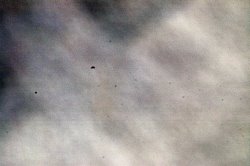
Alexandra MorrisonThere comes a time when your Nikon will need a CCD cleaning. If you keep your CCD clean you won’t have to worry about dirty photos. Here’s what I mean: Look at the image below (click in the photo to view a larger image - be prepared to recoil in horror!)

See the spots? That’s sensor grunge! Yep, bits of almost microscopic gunk that get stuck on the CCD surface. These are most visible when you use a small aperture, and can be quite intrusive. Sure you can get rid of them using your image editing software but what a time killer that is. I don’t know about you but I want to spend more time OUTDOORS, not more time on the computer!
Unlike film cameras, where your image is made on a unique segment of film that is exposed once, digital SLRs, make images on a sensor fixed inside the body. Dust and gunk can actually accumulate. So when you remove your lens, it’s like open season for all the particles in the air, to glom on to your CCD! According to some sources, a zoom lens also increases the amount of dust on the sensor and thus the frequency of Nikon CCD cleaning.
This is a critical consideration when you are outdoors in hostile or less than heavenly environments. So many of our great images are the result of environmental anomalies, like grain dust in the air – red sunsets; or moisture – those idyllic dewy summer sunrises – that we’re exposing the most critical part of our camera to these invaders, every time we change a lens!
Fuji offers a very good
Guide (PDF file) to cleaning the sensors on their cameras, however, if you are the owner of a Nikon, you may be less inclined to try Nikon CCD Cleaning since Nikon doesn’t recommend this procedure as a “do it yourself” project – at least for North Americans!
But having done CCD cleaning myself, I can say, as intimidating as it sounds in some ways, it’s not difficult, expensive or time consuming.
What helped me: I read Thom Hogan’s excellent article about
Nikon CCD Cleaning several times, over a few weeks before I had bolstered my courage enough to give it a try. The thought of damaging my D70, AND the worse thought of having to do without it while it go repaired were soon diminished by the sight of the crud on all my images. I took the plunge, swabbed it clean – and it was FINE!
If you are inclined to clean your sensor, the first thing to do is to see if you really have bad dust on the CCD. First, clean your lens, and your camera filters. Then... Take a photo of a clear blue sky, or a plain painted wall, at f22 or so. Open it in Photoshop, and click on
Image > Adjust >Autolevels. Do you see spots before your eyes?


I like to zoom in a little but I was still shocked at my results. If your CCD test image looks this bad read Thom's article before you do any Nikon CCD cleaning.
Here's the link again.Then get the Fuji Guide (PDF file)Then get the Right Stuff: I used
Sensor Swabs – a highly reputable CCD cleaning tool, and
Eclipse Optic Cleaning fluid. The
Swabs are like jumbo q-tips on steroids! There is also specific model of swabs for Nikons. Make sure you get this size Type 2 – they have been designed to fit exactly in the sensor chamber, so you don’t need to make multiple passes accross the sensitive sensor surface (saying that is more difficult then the cleaning itself!) I’m in Canada and when I searched on-line for suppliers most US companies won’t ship the fluid out of the country, so you should look locally for suppliers.
Note: ClimaxDigital is an online Photographic Solutions retailer and will ship almost anywere in the world.And now the Mandatory Disclaimer: I have to repeat that Nikon doesn’t recommend North Americans and probably Europeans do this procedure. Only in Japan is it recommended! So clean at your own risk.
Despite the simplicity of the Nikon CCD cleaning process, there is always the possibility that something could go wrong. If the dirt is really bad or you just don't want to take the risk, you can send your D70 to Nikon for service. They'll clean it and make sure it gets back to normal.Article #2:Digital Camera Sensor Cleaning Eclipse Lens Cleaner and Sensor Swabs
Dec, 02 2004 - 02:05
Information from the Manufacturer, Photographic Solutions:
ECLIPSE lens cleaner is the highest purity lens cleaner available. It dries as quickly as it can be applied leaving absolutely no residue. When used with
PEC*PAD photo wipes, it is possible to clean only the portion of lens which is dirty eliminating "hazy swirls". Dispense several drops onto a clean, folded
PEC*PAD and lightly wipe surface in a single direction. Refold pad to expose a clean side and re-wipe as necessary. Each box contains a 59 ml. (2 fl. oz.) bottle with dropper applicator and 10 sheets of the
PEC*PAD photo wipes.
Sensor Swabs™ are designed for cleaning CCD chips and other delicate or hard to reach optical and imaging surfaces. Clean room manufactured and sealed, these swabs are the ultimate in purity.
Actual User Review
Single Lens Reflex (DSLR) users, have you ever been plagued by sky cooties, UFO’s, or other undesirables imbedded in your digital images?
Unless you are attempting to convince the Federal Government that alien space travel exists, the specks and blobs are not welcome. From the number of people I have spoken with, a dirty sensor is not an uncommon situation. So let me inquire, have you had the pleasure of cleaning your camera sensor?
If you don't know if your sensor is clean, and want to check it, here is how: Put a lens on your camera, set focus to infinity, set exposure compensation to +1, set the aperture to its smallest value (largest number), at least f22, f32 if you have it. Point the camera toward a uniformly illuminated target, such as a white wall, a piece of matt board, or even the sidewalk and take a shot. Down load and look at the image. Do you see dark spots? If so, you have dust. At wider apertures the dust specs will be much less visible. At f11 they may be very faint and at f8 or wider apertures they may be undetectable.
Now comes the problem. If you're the sort of person who looks for dust, you're likely the sort of person who will be troubled by dust and want to remove it. Here is where things could get a little tricky. And here are your choices.Your first option is, that you can send the camera back to the manufacturer or to your favorite repair shop. It will probably cost you $50, or more and you will most likely be without your camera for a week or two. There is a good chance it will come back dust free and then again there is just as good of a chance it will come back with just less dust and maybe still have a speck or two. Remember you may have to repeat this action weekly, so what do you do?
From my “Real Men Don’t Ask For Directions” file, please read the camera manual first. Contrary to the opinion of some people I have spoken with; switching the camera to the sensor-cleaning mode, does not accomplish the cleaning operation automatically! (With the exception of the Olympus E-1) This is an important manually accomplished step and a delicate procedure. Second, obtain the following products to accomplish the job.
A. a bottle of
Eclipse Optic Cleaning Solution.
B. a packet of
Sensor Cleaning Swabs, which are available in three sizes to fit the sensor size of your need. Be careful NOT to remove the polyethylene dust cover from the swab until the last second before use.
C. a Kinetronics “Speckgrabber” pro kit (which contains three speck grabbers, a handle, grabber cleaning solution and cleaner cloth).
Third, in a clean and dust free environment, connect up the camera to the AC power unit. The continuous AC power is to prevent shutter blade damage by a premature shutter closing due to battery failure. Unofficially, I have heard from a Canon technical representative that in the field only a fully charged battery will do in replacement of AC power (so on a river trip you may have to carry three or four fully charged batterires to ensure a spare for cleaning). A blown shutter is interesting to see, but much too expensive to replace. Fourth, wipe the camera clean with a dust free cloth and follow your camera’s instructions for opening the shutter and exposing the sensor for cleaning. Fifth, clean the sensor.
Note: Do not use any sort of "canned air" for this. Canned air is too powerful and the types that are liquid driven will "spit" liquid trapped in the gas stream on to the sensor and if that happens you can wave bye-bye to your sensor. They may also freeze the sensor, which again will result in damage. Moving forward, if there are particles large enough to see with the unaided eye, use a speckgrabber to remove them first. Then unwrap a swab and apply several drops of the cleaning solution, followed by gently wiping the swab across the sensor from left to right. Use a speckgrabber to pick up all debris along the right side of the sensor (the swept to side). Apply more solution to the second side of the same swab and wipe in the same direction as before, from left to right to remove any residual from the grabber and dispose of swab.
- Do Not be tempted to conserve by reusing a potentially scratchy or dirty swab.
- Do Not go back and forth across the sensor and chance redistributing particles back onto the sensor.
- Check visually for debris.
- Repeat if necessary. If the sensor looks clean, close the shutter and proceed with the quick test that follows.
Replace the lens onto the camera body and photograph the same test target as discussed above. Down load the image into the computer. Enlarge the test image and visually scan the screen for any sign of sensor contamination. Repeat the joy of cleaning, if necessary. A contaminated sensor presents a real world problem within your digital workflow. At worst it could shut down a photo session until you could return to a clean, dust free area with AC power. Since the cleaning procedure is difficult to carry out while on assignment or in the field, if I may be so bold, I will offer a little tried and true preventative advice. Camera sensors are terrific electro-magnets, so keep the body cap on the camera as long as possible. Avoid changing lenses into the wind. Wipe the camera and lenses down often with an anti-static cloth, like the orange Ilford Antistatic type.
Keep your camera bag vacuumed out and lid closed as much as possible, especially in the field. If you do get contaminates on the sensor in the field, try this emergency maneuver. With a very clean blower type ear syringe in hand, set the camera to a fifteen second time exposure (not so long that dust re-inhabits the space). Hold the camera aloft, so by gravity, any debris will fall out. Fire the shutter and puff the blower brush about the sensor, no deeper into the camera than the lens-mounting ring being careful to not allow damage to occur from the syringe being trapped by the shutter. With great care during this operation, I have been able to clean the sensor well enough to continue shooting.
Officially speaking, I have to recommend that you send your camera back to the manufacturer for cleaning. Is that enough of a disclaimer?
May all of your adventures be exciting, your pictures beautiful and you - successful.
Eclipse Cleaning Solution and Sensor Swabs.Kinetronics Speck Grabber Kit.
From
askRodger@pictureline.comArticle #3Cleaning the Sensor/CCDIt's an inescapable fact of life that dust will eventually plague your digital images .. and life's just too short to fritter it away cloning out dust spots from your images.
It's much easier, (though more nerve-wracking), to clean the digital sensor of your camera.
You have two choices ..
Using the Mirror Lock-Up option in the Set-Up Menu, but for this you would need one of the Nikon AC Adapters for your camera, such as the Nikon EH-5 AC Adapter for the D100. This costs you extra money, and you also risk the mirror and shutter coming down while you're cleaning the CCD should there be a power interruption. (Unless you invest in a Uninterruptible Power Supply.)
I had an unfortunate event where for some reason the shutter of my one D100 body closed on the
Pec-Pad I was using to clean the CCD with, and the shutter curtain popped out of its rail. I managed to flex it back in again and fortunately the shutter curtain was undamaged and had no kinks in it. That D100 has since worked without a problem for the past year .. but this is the reason I sold my EH-5 adapter, and settled for the following method of cleaning my CCD ..
You can set your camera to Manual mode and to a shutter speed of 30 seconds, and then be very careful that you take much less than 30 seconds at a time while cleaning your CCD. If not, then the mirror and shutter curtain is going to come down on your sensor swabs.This option isn't ideal either - you need to be very careful and clean your CCD with a series of actions where you trip the shutter and proceed to clean the CCD in much less than 30 seconds, and repeat this until you're done. Alternately, you can set your camera to Bulb and lock the shutter with a remote release. This will give you all the time you need to clean your CCD, unless there is a glitch and the electronic release malfunctions or the mechanical release slips .. it might be a costly way of doing it. ;-)
What I use to clean my CCD ..
I use CO2 gas cannisters from American Recorder Technologies to blow dust off my CCD. The CO2 cannisters supposedly don't contain any propellant or impurities that could make marks on my CCD, but I've had problems with some kind of oily (?) residue being sprayed onto my lenses or CCD when I use these cannisters at full blast when they're still full. So be advised to be careful anyway.
For stubborn dust spots that won't come off with a gentle blast of air, I also use
Eclipse Cleaning Kit, which contains cleaning fluid and Pec Pads. This is manufactured by Photographic Solutions, which also makes
Sensor Swabs. The swabs and pads are non-abrasive and lint-free.
I have tried a Spec Grabber tool, but only ended up leaving streaks on my CCD, which I then had to carefully get rid of with the Eclipse Cleaning Kit.
More info on cleaning your camera's CCD:
Cleaning your CCD - Thom HoganCleaning the image sensor - Ultimate SLR Resource SiteThe Pixel Sweeper Please feel free to e-mail me.
Neil van Niekerkpolitically incorrect / technically correct ..
The dust is actually on the Anti-Aliasing Filter over the sensor, and not on the sensor itself. This filter in the D100 is closer to the sensor than it is to the CMOS sensor of the Canon 10D, which is why the Nikon D100 shows up dust spots more readily than the Canon 10D. And just as an aside, the CCD doesn't attract more dust than a CMOS device would. It's a myth that the CCD creates a static charge that attracts dust.
Also, most people insist that you should turn the camera to face down when you mount lenses to avoid dust falling into the mirror chamber. Good advice that might just be pointless if the rear element of the lens that you're mounting, has dust particles on it. Besides .. dust floats. In the end your lens will get into the mirror chamber anyway.